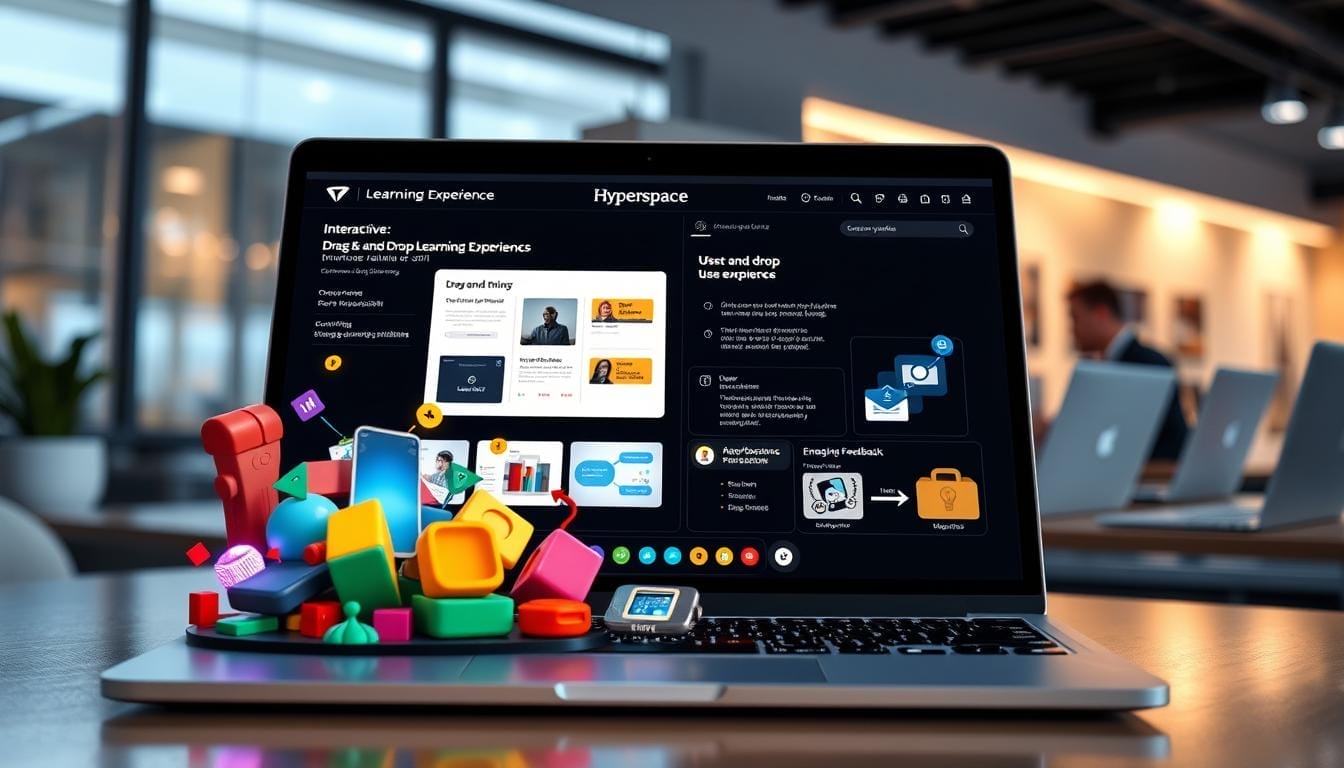
Did you know that immersive simulations can increase knowledge retention by up to 75%, while traditional lectures often provide only 10%? You can bridge this gap by using a drag-and-drop 3d learning experience builder to craft professional training tools. This innovative technology allows you to unify complex data and interactive maps into a cohesive web experience without writing a single line of code.
Modern training needs require more than static slides; they demand realism and active participation. With this versatile builder, you can transform existing content into a functional app in just a few hours. This rapid development cycle ensures your team stays ahead by practicing skills within a secure web environment.
By democratizing the creation process, these platforms empower you to build realistic scenarios that simulate the real world. You can now offer hands-on practice that was once too expensive or dangerous to perform. Transform your corporate onboarding and safety programs into engaging journeys that your employees will truly enjoy.
Key Takeaways
- Boost knowledge retention significantly through interactive virtual environments.
- Create high-quality training modules quickly using intuitive no-code platforms.
- Unify diverse datasets and maps into one seamless digital interface.
- Lower production costs while providing safe practice for all employees.
- Simplify the creation process to democratize technical training across your organization.
- Utilize customizable templates to meet specific business goals and safety standards.
Revolutionize Your Training Programs with 3D Learning Experiences

Transform how your team learns by deploying immersive 3D training solutions that bridge the gap between theory and real-world application. You can design high-impact web apps using simple drag-and-drop widgets and pre-made templates. This approach ensures your audience stays focused while practicing complex procedures in a safe, virtual environment.
Traditional methods often fail to engage, but a 3D experience builds muscle memory and intuitive understanding. These compelling web apps deliver up to 75% better knowledge retention than standard slideshows. You do not need a specialized technical team to build these powerful tools for your business.
Leverage multi-page layouts to present critical information in customized views. Follow our instructional design for immersive learning guide to create compelling web content that scales across industries. Innovation starts when you empower your creators with the right tools.
Hyperspace offers the most flexible platform to launch your interactive apps and transform your workflow today. It is the ideal experience for organizations ready to lead in the digital age.
What is a Drag-and-Drop 3D Learning Experience Builder?
Imagine creating immersive, spatial training environments without ever having to write a single line of code. A 3D experience builder is a powerful no-code platform that empowers you to transform raw data into a compelling web application.
This technology functions much like the ArcGIS experience builder. It allows you to build sophisticated, interactive pages that look professional and function flawlessly on any device.

By using an intuitive drag-and-drop interface, you can easily arrange flexible layouts and widgets. These tools allow you to integrate 2D and 3D data to create living environments for your learners.
- No-Code Freedom: Instructional designers can build immersive 3D training worlds without any programming knowledge or technical background.
- Intuitive Design: Simply drag elements into place and map out complex learning scenarios through easy point-and-click actions.
- Spatial Interaction: Unlike flat e-learning, these builders use spatial design so learners can move and engage with 3D content.
- Ready-to-Use Tools: Modern platforms provide pre-built templates and assessment tools specifically made for professional industry training.
- Direct Creation: This technology removes the barrier between your expertise and the final product, letting you build experiences directly.
- Actionable Insights: Built-in analytics track learner progress and identify knowledge gaps to help you improve your training results.
| Feature | Traditional E-Learning | 3D Experience Builder |
|---|---|---|
| User Perspective | Passive Observer | Active Participant |
| Environment | 2D Slides/Video | 3D Spatial World |
| Technical Skill | Basic Design | No-Code Creator |
Ultimately, the best tools integrate with your current systems for a seamless workflow. Start your journey of exploring the metaverse by launching your first web project today. You have the power to create a web presence that truly transforms how your team learns.
Key Benefits of No-Code 3D Learning Experience Builders
Experience a new era of corporate training where technical barriers no longer hinder your creative vision. These platforms empower your audience to get information on any device with mobile-optimized web apps. The environments you create automatically adapt to different screen sizes to ensure a seamless flow for every user.

You also have the option to configure these environments to look differently on each specific screen. This flexibility ensures that your message remains impactful whether it is seen on a desktop or a smartphone. By democratizing these tools, you transform your organization into a hub of continuous innovation.
“Innovation distinguishes between a leader and a follower.”
Create Interactive Experiences Without Technical Skills
You can now build high-quality apps and interactive content without writing a single line of code. This democratization allows every department to contribute to the learning journey directly. It turns creators into magicians who transform abstract concepts into tangible, digital realities effortlessly.
Save Time and Development Resources
Speed is the ultimate competitive advantage in the modern business view. No-code builders reduce development cycles from months to just a few days. This efficiency allows you to iterate quickly and respond to changing market needs in real-time.
| Feature | Traditional Dev | 3D No-Code Builder |
|---|---|---|
| Build Speed | Months | Days or Weeks |
| Technical Skill | High (Coding) | Low (Drag-and-Drop) |
| Visual map | Manual Scripts | Real-time Canvas |
Deliver Higher Engagement and Knowledge Retention
Immersive environments foster a deep emotional connection to the material through realistic simulations. These interactive elements strengthen memory formation and ensure that knowledge sticks long after the session ends. Spatial learning environments help your team develop muscle memory that transfers effectively to real-world tasks.
- Enhanced Engagement: Research shows that 3D experiences result in significantly higher engagement rates than traditional slide-based training.
- Confident Application: Practicing procedures in virtual environments builds confidence before learners attempt high-stakes tasks in person.
- Built-in Motivation: You can easily incorporate gamification elements to increase completion rates for voluntary training programs.
- Actionable Insights: Modern analytics provide clear data on learner behavior, identifying exactly where your team needs more support.
How Drag-and-Drop 3D Learning Experience Builder Works
Transforming your vision into a digital reality happens in just a few streamlined steps. You do not need extensive programming knowledge to build something incredible for your team. This platform empowers you to create high-impact training quickly and efficiently.
Choose from Ready-Made Templates
Establish a professional foundation by selecting from various ready-made templates. These layouts provide the ideal structure for your virtual classroom or product showroom. You can instantly jumpstart your project and focus on the unique details of your training curriculum.
Add and Connect Interactive Elements
Subsequently, you effortlessly incorporate objects into your environment to build a rich experience. Connect interactive elements like clickable info-points or high-definition videos to keep learners engaged. This visual workflow makes it easy to map out complex training scenarios.

Customize for Different Devices
Configure your web app to perform efficiently on desktop, tablet, or mobile devices. These mobile-optimized apps automatically adapt to any screen size. You also have options to customize layouts, ensuring the training remains effective regardless of the hardware used.
The system implements device-specific controls automatically for intuitive navigation. Whether your students use touchscreens or motion controllers, the performance stays smooth. Cross-platform compatibility eliminates all barriers to access, allowing your workforce to learn whenever they choose.
“The best way to predict the future is to create it.”
| Device Category | Primary Interaction | Visual Optimization | Engagement Goal |
|---|---|---|---|
| Smartphones | Multi-touch gestures | Responsive Scaling | On-the-go access |
| Tablets | Touch and Swipe | High-density layouts | Collaborative review |
| Desktops | Mouse and Keyboard | Ultra-wide workspace | Deep technical study |
| VR Headsets | Motion Tracking | 360-degree sphere | Total sensory immersion |
Top Use Cases for 3D Learning Experiences
You can unlock new potential across your organization by applying 3D learning to real-world scenarios. By using a modern arcgis experience builder, you can craft a custom web app that hosts these immersive environments. These tools allow you to visualize complex data in a way that feels natural and intuitive for every user.

Corporate Training and Onboarding
Testing your training modules in live view ensures that content dynamically populates for every user. As a specific item in a list is selected, the embed widget can pull the corresponding video URL or 3D asset instantly. This creates a highly personalized and dynamic arcgis experience for new hires during their first days.
Safety and Compliance Training
Safety is paramount, and 3D simulations provide a risk-free space for high-stakes environments. You can simulate hazardous scenarios or emergency protocols without any physical danger to your team. The included arcgis location services help you map out facility exits and safety equipment in a realistic, searchable 3D layout.
Technical Skills Development
Technicians can practice operating complex machinery virtually before touching expensive or dangerous equipment. Medical professionals also benefit by simulating procedures in realistic environments to perfect their techniques. These simulations make maintenance tasks more intuitive, as users can explore equipment from all angles and practice disassembly virtually.
| Use Case | Primary Benefit | Interactive Element |
|---|---|---|
| Onboarding | Faster Integration | Dynamic Video Pop-ups |
| Safety Training | Risk Mitigation | Emergency Simulations |
| Technical Skills | Cost Reduction | 3D Machinery Models |
| Software Education | Contextual Learning | Interface Overlays |
Hyperspace: The Ultimate 3D Learning Experience Builder
Experience the future of workforce development with Hyperspace, the most advanced no-code builder for 3D learning. Our platform empowers your team to create stunning environments without writing a single line of complex code. It provides a comprehensive set of capabilities for managing information, similar to the precision found in arcgis.
You gain access to the capabilities of this application, included arcgis users find familiar, with specific user types. Whether you use arcgis online or arcgis enterprise, our platform matches those enterprise standards for professional service. You can match user types to roles within your organization for maximum efficiency and personalized support.
Hyperspace transforms the way businesses approach training by making the metaverse accessible to everyone. We turn your vision into a living reality through constant innovation. Our goal is to bridge the gap between static content and interactive reality for every user.
Powerful Features That Set Hyperspace Apart
Hyperspace offers a modular design that lets you build exactly what you need. You can create dynamic simulations that truly resonate with your audience. The drag-and-drop interface turns your creative vision into reality instantly.
Innovation is at the heart of every feature we provide for your ongoing success. Our platform focuses on empowering users to build new realities today. You will find that our tools scale effortlessly as your requirements evolve.
Seamless Integration with Existing Systems
Your new 3D content won’t exist in a vacuum. We ensure Hyperspace integrates with your current LMS using SCORM and xAPI standards. With single sign-on (SSO) and open APIs, your team enjoys a smooth, uninterrupted workflow.
This makes Hyperspace the ideal solution for modern enterprises looking for secure, scalable training. Content remains accessible through your existing intranet or dedicated apps. You can track progress automatically without changing your current reporting tools.
| Feature Category | Hyperspace Capability | Enterprise Benefit |
|---|---|---|
| Integration | SCORM & xAPI Compliance | Works with any existing LMS |
| Security | SSO & Active Directory | Secure access management |
| Development | No-Code Builder | Faster time to market |
| Scalability | Modular Platform Design | Grows with organization needs |
Getting Started with Your First 3D Learning Experience
Step into the future of education by initiating your very first interactive training module today. By using an intuitive experience builder, you can quickly launch a professional web portal or a mobile app without any coding knowledge.
Ready to leverage the power of a spatial experience builder? You can integrate your own data or a detailed map to create a realistic environment for your learners. Toggle the live view to refine your text and visual assets instantly as you build.
Starting your journey is easier than you might think with our guided onboarding process. Transforming your training vision into reality is a seamless process designed for rapid deployment.
- Pinpoint a specific training need that requires physical procedures or spatial understanding.
- Access your 30-day free trial to explore every feature without any upfront commitment.
- Follow step-by-step tutorials that guide you from selecting a template to final publication.
- Schedule a consultation with our experts to align the platform with your unique goals.
Our premium service includes dedicated support to ensure your team succeeds from the very first day. Most organizations publish their first functional module within a week of starting.
Visit Hyperspace Get Started today to begin your free trial and revolutionize your training approach.
Conclusion: Transform Your Training with Immersive 3D Experiences
Reshape the way your company shares knowledge by leveraging a modern 3D experience.
Connect your audience through a web portal or mobile app.
Integrate data and text with arcgis enterprise to lead the line.
Look forward to better results and higher retention.
Start your free trial at http://hyperspace.mv/get-starter to transform your training today.